> For the complete documentation index, see [llms.txt](https://docs.cytonic.com/llms.txt). Markdown versions of documentation pages are available by appending `.md` to page URLs; this page is available as [Markdown](https://docs.cytonic.com/airdrop/chests.md).
# Chests
## Overview
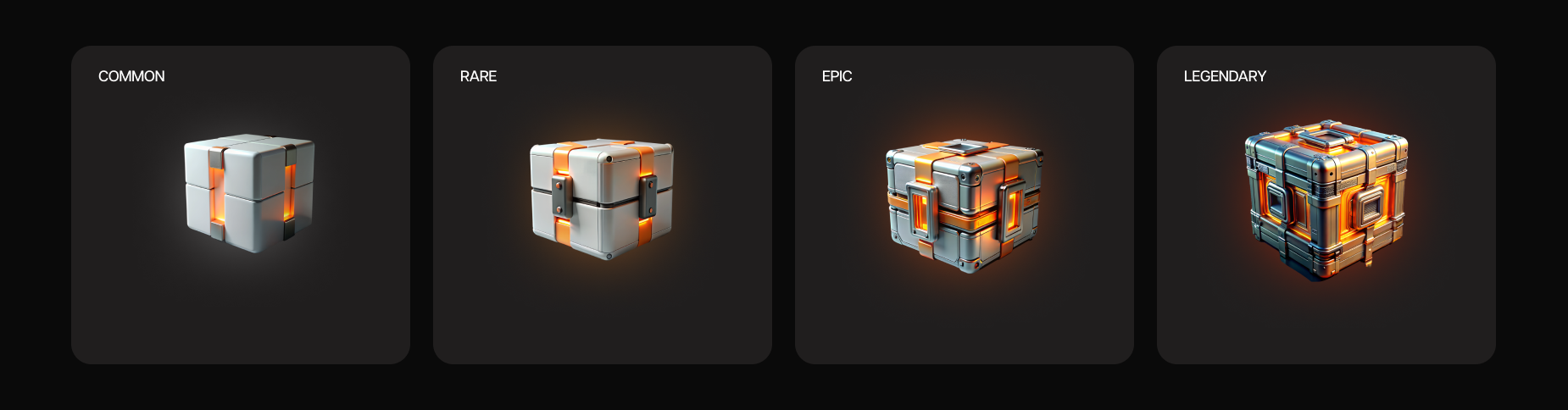
Chests are the primary way to convert energy into Flames. There are four types of chests on the platform: Common, Rare, Epic, and Legendary. Each chest has a different cost and contains varying rewards. For more information about chest types and rewards, visit the related app page.
Types of chests
## Rewards
When opening a chest, you receive a single reward of one of the following types:
* Energy
* Flames
* Lottery tickets
* Chests (of the same type as the one opened)
* Other rewards that are periodically added to the app
If you win a chest as a reward, it will be added to your inventory and prioritized over energy when opening that type of chest next time.
Rarity types
Rewards vary in rarity, which is indicated by their color. The rarer the reward, the less frequently it is distributed. The types of rarity are:
* Common (white)
* Rare (blue)
* Epic (purple)
* Mythical (red)
* Legendary (gold)
## Boosts
Boosts are a special feature that allows you to increase all rewards in chests by a specific multiplier. The available multipliers are 2x, 3x, or 4x. Using a boost consumes extra energy based on the multiplier value you select.
{% hint style="info" %}
Chests in inventory can't be used to boost your pack. It can only be made with energy
{% endhint %}